 Martin Hauser
a6f0508735
Martin Hauser
a6f0508735
Bumps version from 2.0.0 to 2.0.1 across all files.
Adds NetBox 4.6.x compatibility while maintaining 4.5.x support.
Updates Docker base image, configuration file, screenshots, and
fixes typo in SECURITY.md.
4.7 KiB
NetBox Access Lists Plugin
A NetBox plugin for managing Access Lists.
Features
- Access Lists (Standard and Extended)
- Standard Rules for Access Lists
- Extended Rules for Access Lists
- Interface Assignment for Access Lists
Compatibility
The following table details the tested plugin versions for each NetBox version:
| NetBox Version | Plugin Version |
|---|---|
| 4.6.x | 2.0.1 |
| 4.5.x | 2.0.1 |
| 4.4.x | 1.9.1 |
| 4.3.x | 1.9.1 |
| 4.2.x | 1.8.1 |
| 4.1.x | 1.7.0 |
| >= 4.0.2 < 4.1.0 | 1.6.1 |
| 3.7.x | 1.5.0 |
| 3.6.x | 1.4.0 |
| 3.5.x | 1.3.0 |
| 3.4.x | 1.2.2 |
| 3.3.x | 1.1.0 |
| 3.2.x | 1.0.1 |
Installing
For Docker Setups
For instructions specific to NetBox Docker setups, see the netbox-docker plugin documentation.
Via pip
Activate your NetBox Python virtual environment and run:
source /opt/netbox/venv/bin/activate

pip install netbox-acls
Important: When using NetBox's upgrade.sh, the virtual environment is
deleted and recreated.
To ensure that the ACL plugin is reinstalled during an upgrade,
add it to your local_requirements.txt (for local installations) or
plugin_requirements.txt (for container-based installations).
netbox-acls
Configuration
Enable the plugin by editing the NetBox configuration file.
For local installations, update /opt/netbox/netbox/netbox/configuration.py;
for Docker setups, modify /configuration/plugins.py:
PLUGINS = [
    "netbox_acls"
]

PLUGINS_CONFIG = {
    "netbox_acls": {
        # Set to True to add a top-level menu item, or False to place it
        # under the Plugins menu. Default is True.
        "top_level_menu": True,
        # Sequence number increment for new ACL rules (e.g., 10, 20, 30...)
        "rule_sequence_step": 10,
    },
}
After configuration, apply the changes by running the database migrations:
source /opt/netbox/venv/bin/activate
cd /opt/netbox
python3 netbox/manage.py migrate
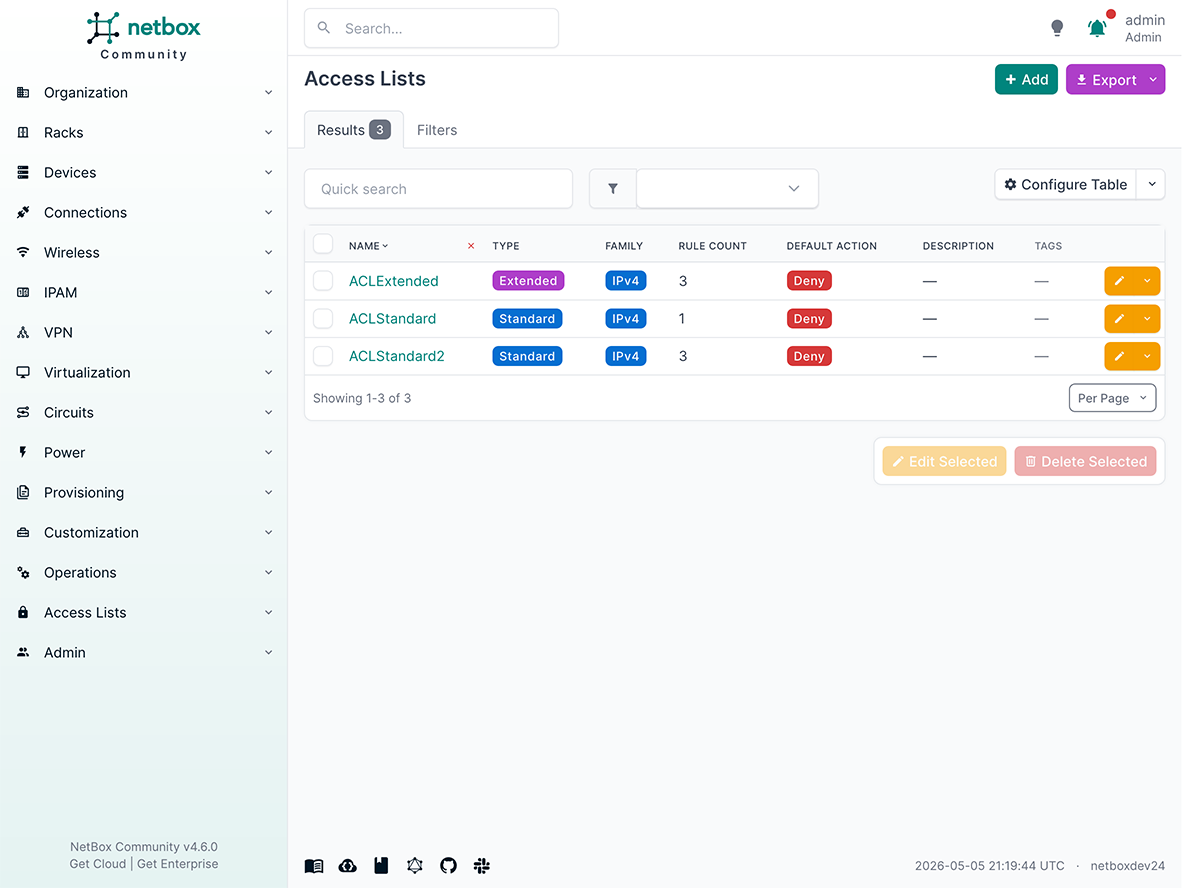
Screenshots
-
Access List (List View)
-
Access List (Standard) (Detail View)

-
Access List (Extended) (Detail View)

-
Standard Access List Rules (List View)

-
Extended Access List Rules (List View)

-
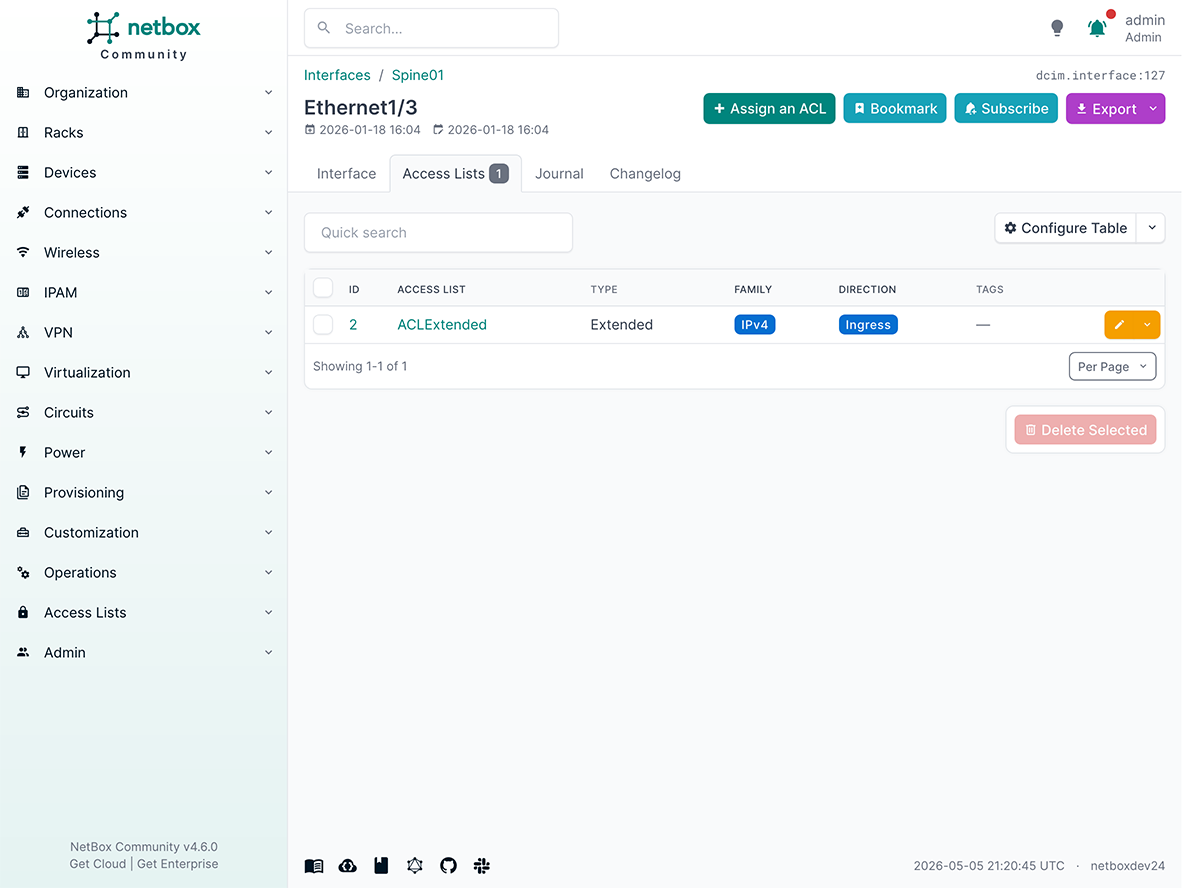
ACL Assignments (List View)

-
Host Access Lists (New Card for Devices, Virtual Chassis, Virtual Machines)


Developing
VSCode + Docker + Dev Containers
You can use the provided .devcontainer configuration
to set up a development environment with a fully functional NetBox
installation.
This configuration works best with WSL 2.
For this to work, make sure you have Docker Desktop installed and the WSL 2
integrations activated.
- Open a WSL terminal and run
codeto launch Visual Studio Code. - Install the ms-vscode-remote.remote-containers extension.
- Press
Ctrl+Shift+Pand select Dev Container: Clone Repository in Container Volume to start cloning the repository. The process may take some time. - (Optional) To prepopulate NetBox with example data from
netbox-initializers,
run:
make initializers - Start the NetBox instance:
make all
After these steps, NetBox will be available at http://localhost:8000.
Contributing
This project is maintained by the netbox-community. For contribution guidelines, please see the CONTRIBUTING document.
Credits
This plugin is based on the NetBox plugin tutorial by jeremystretch:
All credit should go to Jeremy. Thanks, Jeremy!
This project aims to build upon the framework and model presented there.